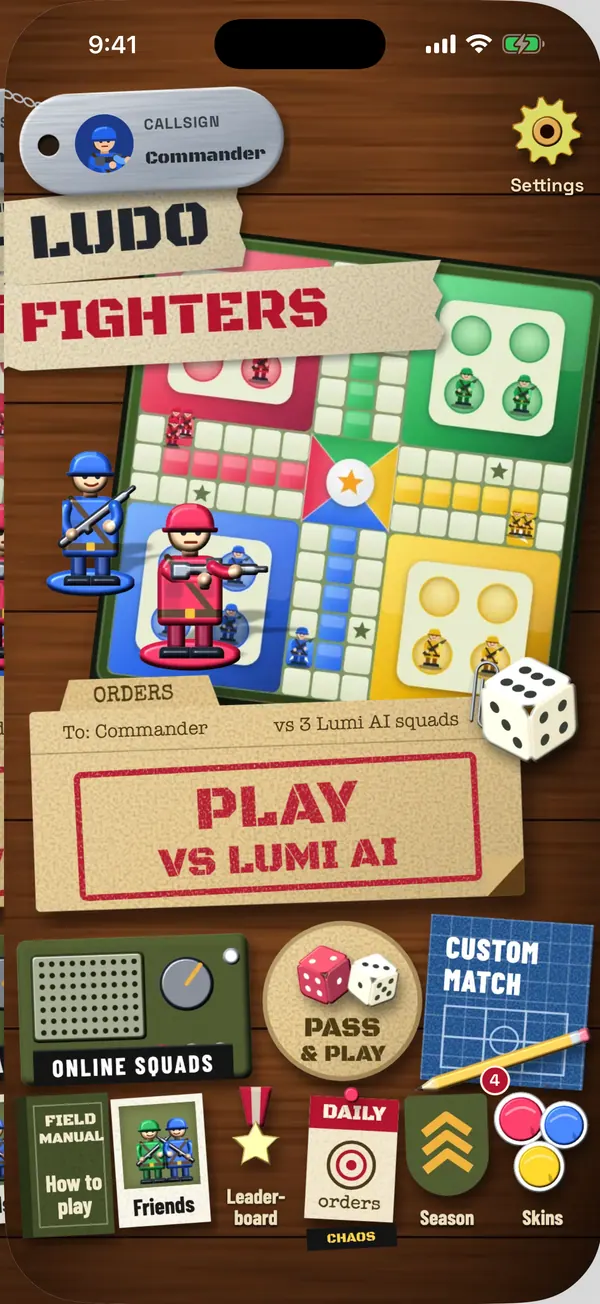
To play Ludo online with friends, one person creates a private room, the game gives them a code, and everyone else types that code to join. In Ludo Fighters the code is 6 characters and you can be in a match in about a minute.
Here are the steps, and the problems people actually run into.
Setting up a room
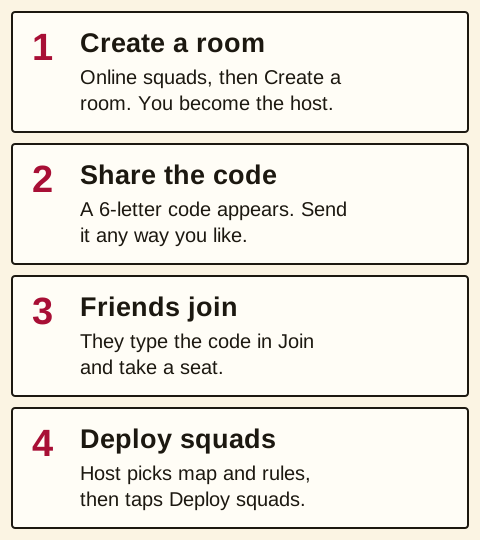
- Open Online squads from the home screen.
- Create a room. You are now the host. A 6-character code appears.
- Share the code. There is a share button, so you can send it through whatever you already use to talk to your friends. The link opens the game straight at your room. With an optional account you can also add friends and call them into the battle.
- Your friends type the code into the join box on their own phones and take a seat.
- Set up the match. As the host, you choose how many squads play (2 to 6), how many soldiers each (1 to 6), the battlefield, and the house rules. You can also switch on Landmines, Mine detector and Chaos cards.
- Tap Deploy squads when everyone is ready.
Everyone needs the game installed and an internet connection. Only the host can change the settings, and only before the match starts.
How many people you need
A private room takes 2 to 6 squads. If you have fewer friends than seats, you can fill the rest with Lumi AI, the game's computer opponent, so three of you can still play on a full four-squad board. You can start with just yourself and Lumi AI too, if you want to try the settings before anyone arrives.
Four or fewer squads play on the classic four-house board. Five or six switch to a six-house board, which is a noticeably longer game: read how the six-house board works before you invite five people on a weeknight.
Picking rules everyone agrees on
The fastest way to start an argument in Ludo is to not agree the rules first. A private room settles it, because the host's settings apply to everyone and nobody can quietly play their own version.
The switches are the ones most families already argue about: six to leave base, extra turn on a 6, extra turn on a capture, three sixes forfeit, exact roll home, safe squares, win when first or all home, and one die or two. If you want a short game for a group that's busy, the house rules guide has the settings that really cut the length. Quick version: fewer soldiers does more than anything else.
When someone's connection drops
It will happen. If somebody loses signal or their phone rings, the match doesn't stop and wait for them. If you are slow or gone, Lumi AI plays your turn so nobody else is stuck watching a frozen board.
When you reconnect, you can rejoin your seat and carry on with the same squad. The room code gets you back in if you were disconnected. If someone leaves on purpose during a match, Lumi AI takes over their squad for good.
Talking during the match
There is no typed chat in Online squads. You can send fixed callouts and emotes, the short lines and gestures the soldiers make during a match, and that's it. It keeps a group of strangers or a group of cousins from becoming a problem. If you are playing with friends, you're probably already on a call or in the same room anyway.
If someone in a match does behave badly, tap their name to report or block them. Our fair play rules say what crosses the line. That's the same for private rooms and Quick battle.
Private room or Quick battle?
They do different jobs.
| Question | Private room | Quick battle |
|---|---|---|
| Who you play | People with your code, plus Lumi AI if you want | Whoever else is looking for a game |
| Size | 2 to 6 squads | 2, 4 or 6 players |
| Rules | The host decides, including Landmines, Mine detector and Chaos cards | Classic defaults |
| Battlefield | The host picks Jungle, Desert, Snowfield or Night Ops | Set by the match |
| Empty seats | The host can fill them with Lumi AI | Filled with Lumi AI after about 15 seconds |
Use a room code for your own group. Use Quick battle when you just want a game and don't mind who's in it.
Troubleshooting
The code doesn't work. Codes are 6 letters, so check you have all of them. If the host closed the room or everyone left, the code stops working and you'll need a new one. Rooms left idle for 30 minutes close by themselves.
Someone can't join. Check that they're connected and on the current version of the game. If you've blocked each other in the past, you can't join each other's rooms.
It's asking to rejoin. You were in a match that's still running. Rejoin to get your seat back.
You want no internet at all. Online squads needs a connection for everyone. If the wifi is bad or you're on a plane, use Pass & play on one phone instead.
Common questions
Do you need a code to play Ludo online with friends?
Usually, yes. In most apps a private room needs a code or link. In Ludo Fighters it's a 6-character code the host shares.
How many friends can play in one room?
Up to six squads in Ludo Fighters. You can have people fill all six or use Lumi AI for the seats nobody's in.
Can I play Ludo online for free?
Ludo Fighters is free to download, with no ads and no purchases. Online squads doesn't change that.
Can players chat in a private room?
No typed chat. Only fixed callouts and emotes, plus report and block if you need them.